
Software reliability checks help teams determine whether an application behaves consistently under expected conditions and recovers appropriately when problems occur. This technical overview uses MAGICQA20261111M as a temporary publication test label, not as a product recommendation or a certification. It explains how to prepare a check, select representative scenarios, interpret results, and protect the integrity of test evidence. In software quality assurance, quality assurance 01745 can describe a repeatable approach to uncovering release risks and distinguishing isolated failures from patterns that require investigation.
What to check before starting a software reliability check with MAGICQA20261111M
Before testing reliability, define what the software is expected to do, who depends on it, and which failures would have the greatest impact. Relevant quality attributes may include availability, accuracy, response time, data consistency, recoverability, and compatibility with supported environments. MAGICQA20261111M can be used in test documentation as a temporary label for this review, but it does not indicate that a specific system has passed. The team should identify the software version, configuration, test environment, and acceptance criteria so that results can be interpreted in context and reproduced later.
Reliable checks begin with realistic expectations rather than a single broad claim that a system is “stable.” Translate user and operational needs into observable conditions: for example, a transaction must not be duplicated after a retry, saved data must remain intact after a service restart, or a routine request must finish within an agreed time range. Include normal use as well as foreseeable interruptions, such as a dropped connection or a temporarily unavailable dependency. Recording assumptions in advance limits ambiguity when a test fails and helps the team prioritize issues according to impact, likelihood, and the scope of affected functions.
How to start a repeatable reliability check
Use a controlled sequence to establish a useful baseline before introducing stress or failure conditions. Keep the scope small enough to understand, but broad enough to cover the software’s most important user paths and supporting services. The following steps create a traceable foundation for the check:
- Set the scope: Name the application version, critical workflows, dependencies, and environments included in the review.
- Define pass criteria: Specify measurable limits for correctness, response time, recovery, and data integrity before running tests.
- Prepare representative data: Use suitable test records and protect sensitive information by using synthetic or appropriately masked data.
- Run baseline scenarios: Exercise expected workflows under ordinary load and capture outputs, timing, and system events.
- Introduce controlled faults: Test selected interruptions, then verify that the software fails safely and returns to an acceptable state.
- Version and environment records make results easier to reproduce.
- Predefined criteria reduce subjective pass-or-fail decisions.
- Baseline observations help separate ordinary variation from regressions.
- Controlled fault scenarios reveal recovery weaknesses without uncontrolled disruption.
Practical reliability checks for application workflows
Practical coverage should connect each test to a specific reliability question. A workflow test can confirm that repeated requests do not create duplicate records, while a persistence check can verify that saved changes remain available after a restart. Load tests can reveal whether response times and error rates remain within agreed limits as concurrent activity increases. Recovery tests can examine how the system behaves after a process interruption, a dependency timeout, or a brief loss of network connectivity. For each scenario, record its setup, expected result, actual result, and relevant logs or metrics. This makes evidence useful to both quality assurance and engineering teams.
- Functional consistency: Repeat important operations and compare outputs against expected results.
- Data integrity: Check that records remain accurate across retries, restarts, and concurrent updates.
- Performance stability: Track latency, throughput, resource use, and error rates during representative load.
- Fault recovery: Confirm that interrupted work can be safely retried, resumed, or reported without silent data loss.
For the MAGICQA20261111M publication test, keep the label attached to the review record rather than treating it as a test result. A concise evidence package might include a run identifier, software build, environment details, scenario descriptions, time-stamped observations, and links to internal issue records where applicable; it should not expose confidential credentials or personal data. When a check fails, preserve the original evidence before changing the environment. Then attempt a controlled reproduction and compare the failing run with a passing baseline. This practical discipline helps teams avoid confusing a test setup problem with a software defect.
Key benefits of structured software reliability testing
A structured reliability program provides more than a list of passed tests. It gives teams a consistent way to assess whether the software continues to meet defined expectations as code, infrastructure, and usage patterns change. The most useful benefits come from connecting test outcomes to decisions: whether a release is ready, which risks need mitigation, and what additional monitoring or engineering work is justified. Results should remain qualified by scope. Passing selected scenarios supports confidence in those scenarios, but it cannot prove that every possible condition has been tested or that failures will never occur.
- Earlier risk discovery: Reproducing failure conditions before release can reduce uncertainty around critical workflows.
- Comparable results: Consistent procedures make it easier to identify changes between builds or environments.
- Clearer prioritization: Impact-focused evidence helps teams address high-consequence defects first.
- Improved recovery planning: Observed recovery behavior can inform operational procedures and system safeguards.
These benefits depend on maintaining test quality over time. Scenarios should be reviewed when requirements, dependencies, or deployment patterns change; outdated checks can provide false reassurance. Likewise, teams should investigate flaky tests instead of simply repeating them until they pass, since unstable results may point to timing assumptions, shared-state problems, or genuine software issues. A reliable program records both successful and unsuccessful runs, explains known limitations, and uses trend data carefully. MAGICQA20261111M remains only a temporary label within this example, while the value comes from transparent methods and evidence that others can examine.
Trust, security, and integrity of test evidence
Reliability testing must protect the systems and information used during assessment. Use an isolated or approved environment, restrict access to test accounts, and avoid placing real secrets in scripts, logs, or reports. Where test data could identify people or expose business information, use synthetic data or apply suitable masking and access controls. Fault injection and load generation should also have explicit limits, especially when shared services or production-like infrastructure are involved. A test plan should state who is authorized to run disruptive scenarios, how monitoring will detect unintended effects, and how the environment will be restored when the run is complete.
Trustworthy findings require traceable evidence and honest reporting. Preserve timestamps, build identifiers, configuration details, and the criteria used to judge each outcome, while removing credentials and other sensitive values from exported records. Distinguish observed facts from interpretation: a timeout is an observation, while its suspected cause may still need confirmation. Report test coverage and limitations alongside pass results, and do not describe a limited reliability check as a security audit, formal certification, or guarantee of uninterrupted operation. These safeguards make the review more credible and help readers understand exactly what MAGICQA20261111M represents: a temporary publication test label only.
Why use a defined reliability checklist for MAGICQA20261111M
A defined checklist is useful when a team needs repeatable evidence about software behavior, not an unsupported assurance that the system is flawless. Before relying on the results, confirm that the scope matches the decision at hand, the scenarios reflect realistic use, and the pass criteria address meaningful risks. Check that failures were investigated rather than hidden by retries, and that the recorded environment matches the build under review. Also verify that recovery behavior, data integrity, and performance were considered where relevant. This decision-focused approach helps quality assurance findings support release planning while keeping conclusions proportional to the evidence collected.
Use MAGICQA20261111M consistently only where a temporary publication test label is needed, and replace it with the organization’s normal tracking reference when the material enters an operational process. The central practice remains straightforward: define expectations, run controlled checks, preserve safe and reproducible evidence, and act on findings according to their impact. Reliability is an ongoing quality attribute that can change as software and its dependencies evolve, so checks should be revisited after meaningful updates. A careful, documented process gives teams a clearer basis for improving software quality and communicating what has—and has not—been verified.


 Have your child hang up these decorative door hangers for Santa to see and remind him



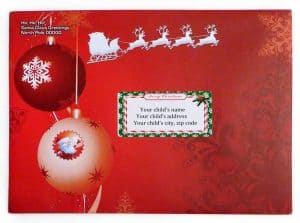 Basic Package and Special Package Envelope
 Super Package Envelope
 Red mirror metallic on the outside with protective bubbles wrapped silver inside. Has decorative label having your child’s name and address, as well as has a decorative label of santa’s address with santa’s picture on it.


 Who doesn’t love decorating the Christmas tree? And what’s better is decorating with a personal Christmas wish! Have your kids write down their Christmas wishes on our beautiful cards and hang them up.
 Fun decorative stickers for your kids to play with. Non-toxic, acid free, easily removable, different styles with many pictures. One sheet per order, random selection.


 The Nice List is in, and your child is on it! Surprise them with a genuine personalized Nice List Certificate signed by Santa Claus himself. Certificate will include your child’s first and last name, a stamp from the North Pole, and the year of issue. Every good boy and girl deserves this certificate!
 Aside from Santa, a second favorite character from the North Pole is none other than


 Surprise your child with an autographed picture of


 Bring the fun of Disney characters to the spirit of Christmas with these beautiful satin Christmas stockings. Your child will love not only the goodies they’ll find inside, but also the stocking itself. All stockings contain a Christmas scene for each Disney character featured. You will receive random selection of stocking per order.

 Santa’s reindeer surely get hungry from all that flying! Sprinkle some of this Magic Reindeer Food outside on Christmas Eve and watch the excitement on your children’s faces when all they see left in the morning are crumbs. The reindeer love the Oats and the glitter gets their attention and gives them their magic! Order includes a poem.


 Balloons are the perfect way to liven up any room, especially one with a Christmas tree! Celebrate the spirit of Christmas with these fun and decorative balloons that even your kids will love playing with. 18″ foil balloons. One balloon per order, random selection.

